
The studio
Where your world becomes a project.
Right now your story is scattered. An outline in one document, names and dates in another, a reference folder you stopped naming carefully months ago, and the actual chapters somewhere else again. None of it knows about the rest, so you are the only thing holding it together.
Firn is one window where all of it belongs to the same story. Ten ways to work on it, a world you can walk around in, and somewhere to sit and read what you have written — all of them looking at the same cast, the same places, the same timeline.
Every picture on this page is the real thing, from a real story we built in it. Nothing here is an artist's impression of a product that does not exist yet.
Free to start. Sign in when you are ready to open it.
Everything in it belongs to the same story.
Down the left edge: Make, Know, Read — writing it, looking things up, reading it back. Next to that, your chapters. Then your tools, grouped by what you are trying to do. The middle is whatever you are working on. Koda sits on the right, telling you what the crew is up to.
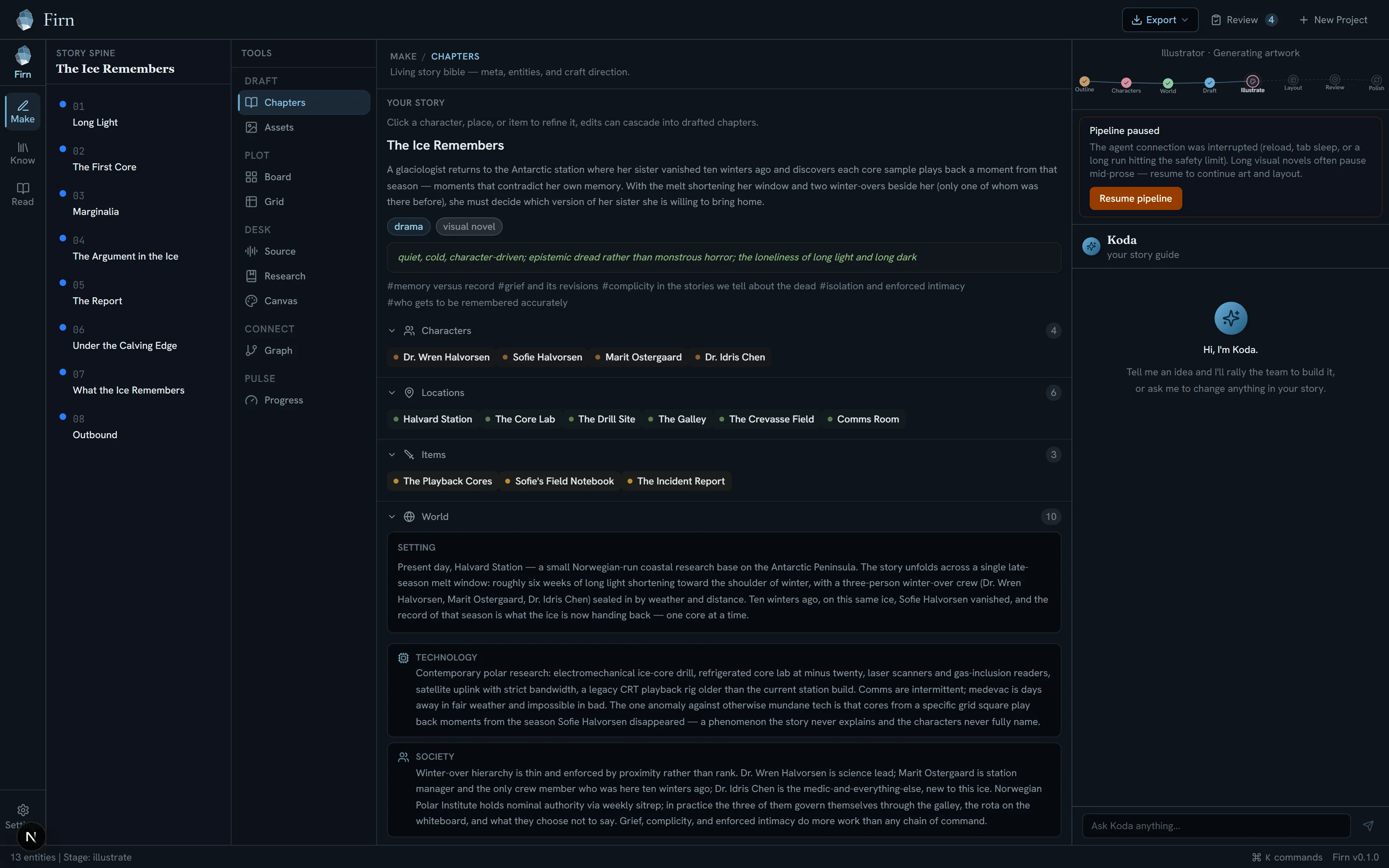
Make · Chapters. Everything true about this world in one place — the pitch, the tone, the cast, the places, the rules — with your chapters down the left and Koda on the right.
Real studio capture · demo project “The Ice Remembers”
Ten ways to work on the same story.
You do not have to pick one and stay there. They are different angles on the same material, and switching is a keystroke.
Draft
- Chapters
- Your world on one side, your writing on the other.
- Assets
- Every picture drawn for this story, and the look they all follow.
- Layout
- Pages, panels, or scenes — whichever your story is made of.
Plot
- Board
- A corkboard of scenes you can move around.
- Grid
- The same story as rows, for when you need to see it all at once.
Desk
- Source
- Material you brought with you.
- Research
- Notes and links that belong to this world, not to a browser tab.
- Canvas
- A mood board for the way it should feel.
Connect
- Graph
- Who is tied to whom, drawn out instead of listed.
Pulse
- Progress
- How much you wrote this week, and which promises the story still owes the reader.
The tools change with what you are making. A visual novel gets scenes and a branch map where a book gets chapters; a manga reads right to left. You are not writing a book and then converting it at the end.
Your canon as a place you can walk.
The Codex is your world as something you can look things up in — characters, places, objects and themes, each with their art. Open any one of them and you get who they are, what they look like, how they change, who they are connected to, and every chapter they appear in.
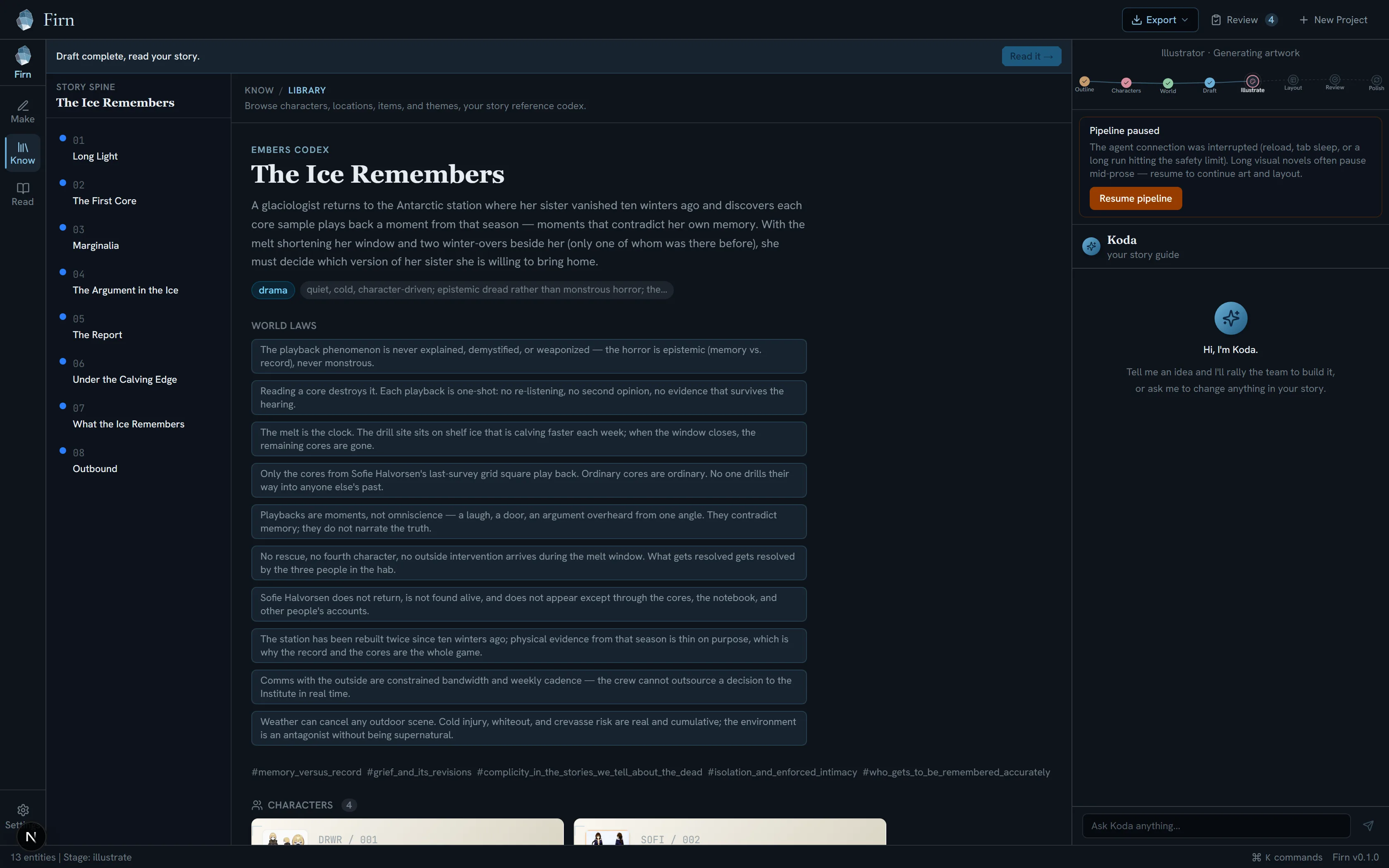
Know · Library. The rules of this world, written once — and now everything else has to obey them.
Real studio capture · demo project “The Ice Remembers”
Rename a character once.
Six chapters in, you decide Marit should have been called something else. In most tools that is an afternoon of search-and-replace and a quiet fear you missed one. Here it is one edit. Every chapter, every scene, every caption updates, because none of them were ever holding the name — they were holding onto her.
The same thing saves you elsewhere. Redesign a character and Firn tells you which pictures are now out of date. Delete something the chapters still lean on and it says so, instead of leaving a hole you find months later. Realise you invented the same person twice under two names, and you can fold them into one without losing a line.
You can see it in the reader below. Those underlined names are not decoration — tap any one and you are looking at her.
Your draft the way a reader meets it.
The moment one chapter exists, you can read it properly — set in a real typeface, at your choice of size and background, with nothing else on screen. Deliberately not an editor. Reading your own draft as a reader is a different job from fixing it, and a page covered in controls makes both harder.
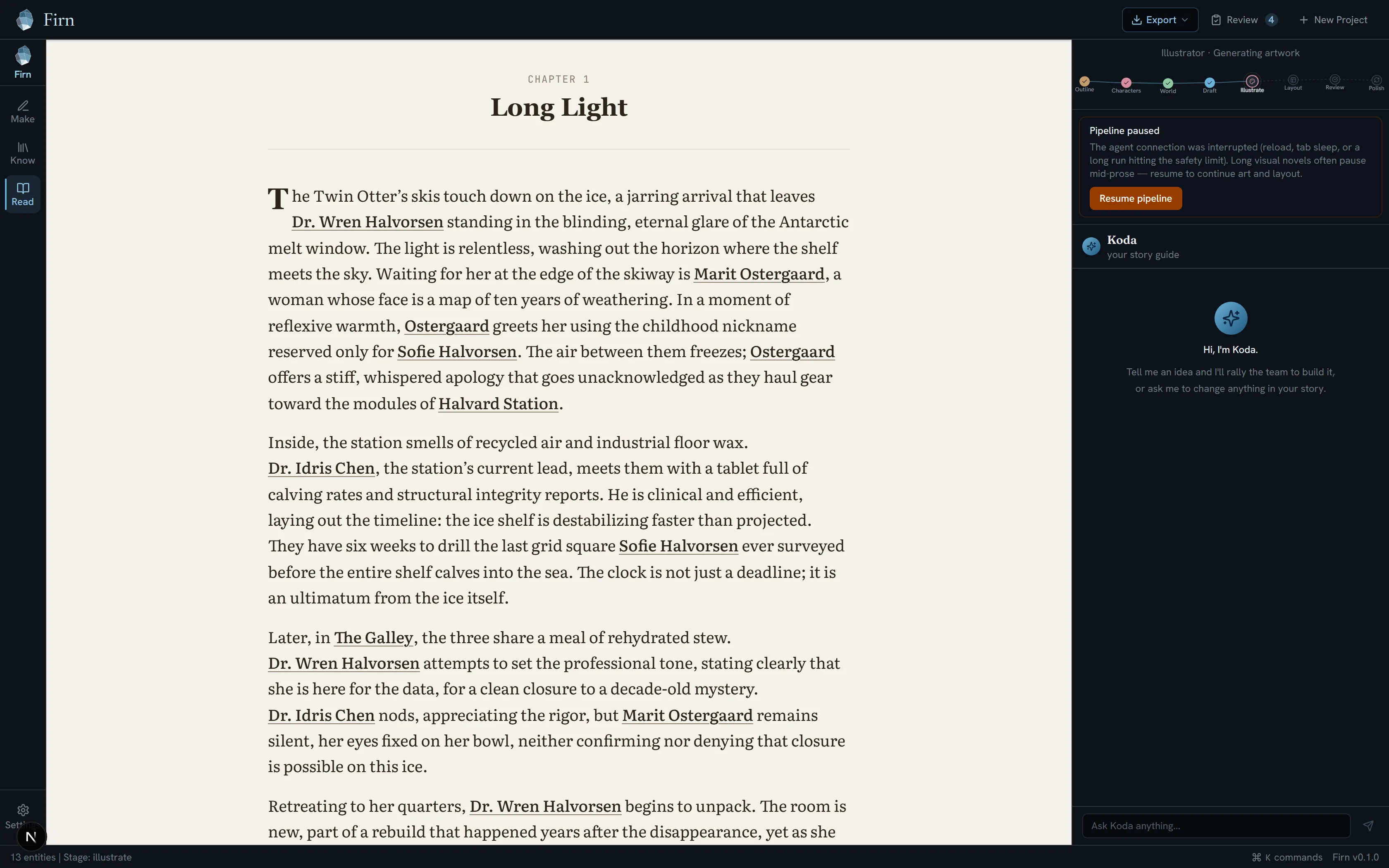
Read · Chapter 1. Every underlined name is a link — tap one and you are looking at whoever it is.
Real studio capture · demo project “The Ice Remembers”
Two other things live here. You can have it read to you, with a different voice for the narrator and for each character. And you can mark a chapter up the way you would mark a proof — strike this, reword that, a note in the margin — and Firn will carry what you meant across the rest of what you have written, instead of making you leave the same note eight times.
Everything is a keystroke away.
Cmd or Ctrl and K brings up everything, by name. Getting from the corkboard to the Codex to the reader is a keystroke and a word, not a hunt through menus.
What the studio doesn't do yet.
- You cannot draw the panels yourself. Firn lays out the pages and shows you the result. What it does not give you is a blank canvas where you push panel borders around by hand.
- You cannot bring your own audio in yet. The Source tool is there, but uploading your own recordings is switched off until we have the storage and privacy side of it properly sorted. It says so plainly rather than failing on you halfway through.
- It is a single-author studio. There is no co-editing, no comments, no shared cursor. One writer, one world.